Styling Guide for XRP Robot Documentation#
This guide outlines the formatting conventions used in the XRP Robot documentation to ensure consistency and readability across various lessons and examples.
1. Headings:
Main Title (Level 1): Use an equals sign = above and below the heading text. The underline must be at least as long as the title.
Controlling the XRP Robot
========================
Section Titles (Level 2): Use a hyphen - below the heading text.
Introduction to Movement
------------------------
Subsection Titles (Level 3): If further subdivision is needed, consider using a tilde ~ below the heading text.
2. Paragraphs:
Standard paragraphs should be separated by a blank line.
3. Code Blocks:
Use the .. code-block:: <language> directive to display code. Specify the programming language (e.g., python).
from XRPLib.robot import Robot

robot = Robot()
robot.drivetrain.set_speed(50, 50)
4. Inline Code and References:
Use single backticks `` ` `` to denote inline code, variable names, class names, and method names related to the XRP robot. This helps distinguish code elements from regular text.
Example for variable:
`motor_speed`Example for class:
`Robot`Example for method:
`set_speed`Example for inline code snippet:
`pass`Example for sensor:
`reflectance_sensor`Example for action:
`drive_forward`
5. Bold and Italic Text:
Bold: Use double asterisks ** around the text you want to emphasize, such as keywords or important terms related to the XRP robot.
Example:
**Robot** class,**drivetrain** component
Italic: Use single asterisks * around the text you want to italicize for emphasis or specific terms.
Example:
*instance* of the Robot class
6. Lists:
Bulleted Lists: Use an asterisk * followed by a space for each list item when listing features or components of the XRP robot.
`rst
* Controlling motor speed
* Reading sensor values
* Performing actions
`
Numbered Lists: Use numbers followed by a period and a space for sequential steps in a procedure involving the XRP robot.
7. Figures:
Use the .. figure:: <image_path> directive to include images of the XRP robot or related diagrams.
The :width: option can be used to specify the width of the image.
A caption can be added below the .. figure:: directive, indented.
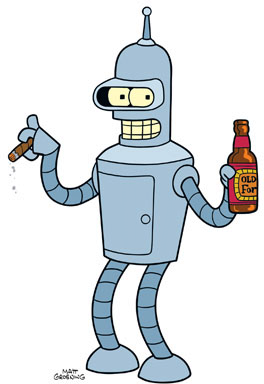
“My story is a lot like yours, only more interesting ‘cause it involves robots.”
8. Admonitions:
Admonitions are used to highlight specific types of information related to working with the XRP robot.
- .. note::
Purpose: Used to provide supplementary information, tips for using the XRP robot, or important reminders that are related to the main content but might not be essential for immediate understanding.
Placement: Typically placed after the paragraph or section they relate to.
Formatting: The content of the note should be indented under the .. note:: directive.
Note
Ensure the XRP robot’s battery is charged before starting any experiments.
- .. error::
Purpose: Used to indicate potential errors, limitations of the XRP robot, or common issues that users might encounter.
Placement: Placed where the error or limitation is relevant.
Formatting: The content of the error should be indented under the .. error:: directive.
Error
Do not attempt to lift the XRP robot by its wheels. This can damage the motors.
- .. tip::
Purpose: Used to provide helpful hints, shortcuts, or best practices when working with the XRP robot or writing code for it. Tips are meant to make the user’s experience smoother or more efficient.
Placement: Typically placed near the content it provides a helpful suggestion for.
Formatting: The content of the tip should be indented under the .. tip:: directive.
Tip
When testing sensor values, try printing them to the console frequently to get a good understanding of their range.
General Style Principles:
Clarity: Write in a clear and concise manner, especially when explaining how to program and interact with the XRP robot.
Consistency: Follow these styling guidelines throughout all XRP robot documentation.
Readability: Use formatting to break up large blocks of text and make the documentation easier to scan and understand for users of the XRP robot.
Accuracy: Ensure all code examples and descriptions accurately reflect the functionality of the XRP robot.
Explanation of Corrections:
Title Underline: I’ve ensured that the underline for the main title “Styling Guide for XRP Robot Documentation” is now long enough to cover the entire title.
Inline Literals: I’ve carefully reviewed all instances of backticks and made sure each opening backtick has a corresponding closing backtick. The issue was likely with the examples within the “Inline Code and References” section.
Literal Blocks: I’ve added blank lines after the code blocks within the note and tip admonitions to properly terminate the literal blocks.
Image File: While I cannot directly fix the “image file not readable” warning, this indicates that the file images/xrp_robot.png is either missing from the specified location or there’s a permission issue. You’ll need to ensure this image file exists at the correct relative path within your documentation project.
Please try building the HTML again with this updated rst code. The warnings related to the rst syntax should now be resolved. Remember to check the image file path as well.